Lenticular Images and Looking Glass Light Field Displays
How multiple viewpoints become glasses-free 3D
lenticular display, light field display, Looking Glass, quilt, Looking Glass Bridge, Looking Glass Studio, photogrammetry, glasses-free 3D
Seeing depth without glasses
An ordinary screen sends essentially the same image in every direction. If two people stand in different places, they still see the same camera view.
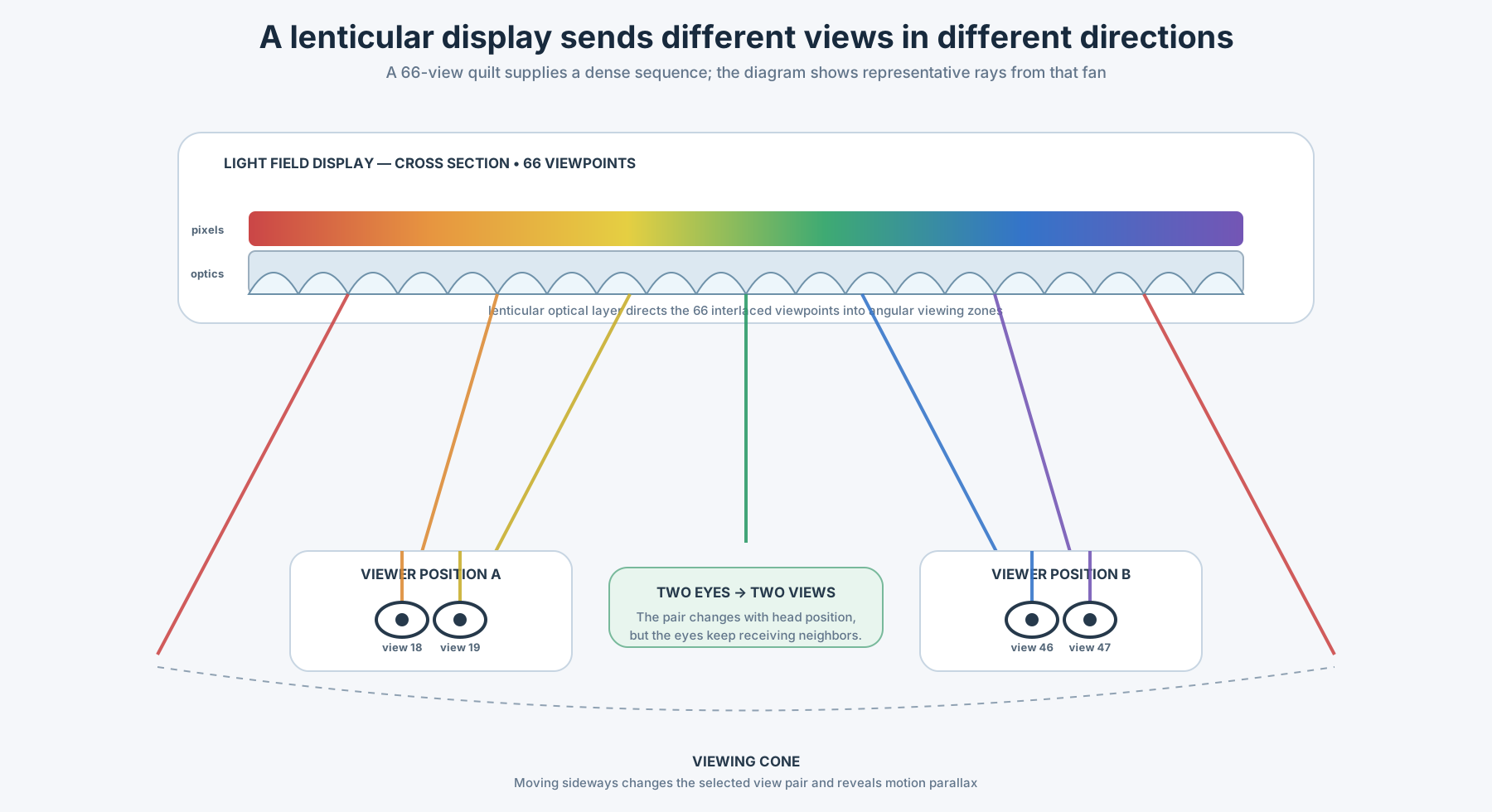
A lenticular or light field display behaves differently. It sends a collection of neighboring views into different directions. Your left eye receives one view and your right eye receives another. Move your head sideways and both eyes receive a new pair. The changing perspective creates stereoscopic depth and horizontal motion parallax—without glasses, a headset, or eye tracking.
The easiest comparison is a real window. When you move in front of a window, near objects shift more strongly than distant ones and previously hidden parts of the scene become visible. A multiview display attempts to reproduce part of that experience by presenting different images across a defined viewing cone.
A stereo display provides two views. A light field display provides a sequence of views, and the viewer’s position determines which neighboring pair reaches the two eyes.
From lenticular pictures to electronic displays
Traditional lenticular pictures place a sheet of narrow cylindrical lenses over an interlaced print. Several source images are divided into thin strips and woven together. Each small lens directs different strips toward different viewing positions.
This can produce stereo depth, animation, or a flip between images. It also introduces familiar compromises:
- every view receives only part of the available image resolution;
- the effect works inside a limited range of positions;
- poor alignment can create ghosting or visible view jumps;
- the optical sheet, interlaced image, and intended viewing distance must match.
A Looking Glass can be understood as an electronic, high-density extension of this lenticular principle. Instead of printing a few interlaced images, software supplies many views to a high-resolution panel. The optical layer directs those views across a horizontal viewing cone.
Why both eyes continue to see a pair
The display does not need to know where the viewer is. It continuously emits all of its directional views.
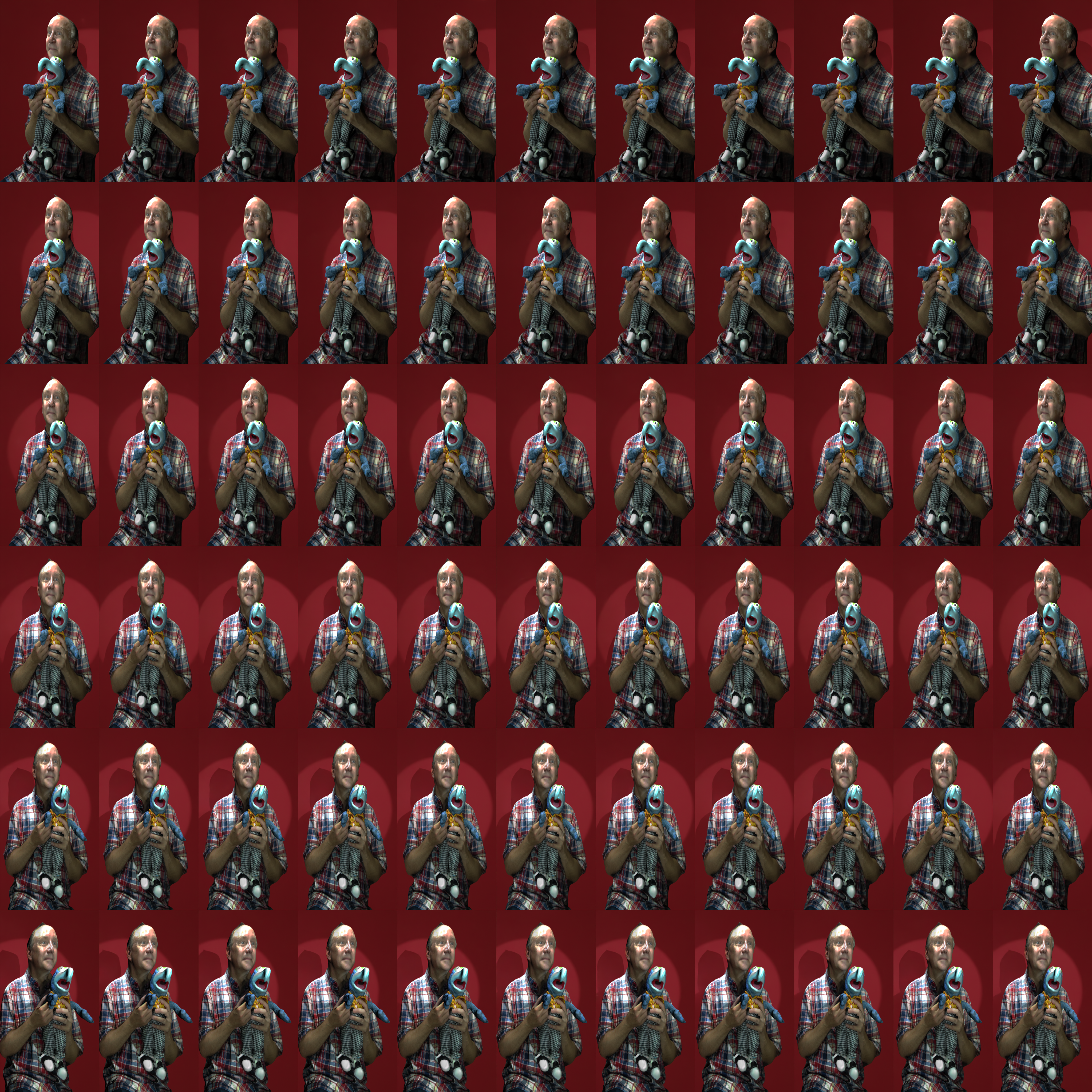
The supplied quilt contains 66 viewpoints, arranged as 11 columns by 6 rows. The SVG shows only representative rays so that the optical principle remains readable. At position A, the left and right eyes intercept neighboring views 18 and 19. After the viewer moves sideways to position B, they intercept views 46 and 47. The selected pair changes, but the two eyes remain separated in space and therefore continue to receive neighboring perspectives.
Several people can stand inside the viewing cone at the same time. Each person intercepts the views that travel toward their own position.
The display reproduces a useful horizontal set of light directions. It does not recreate every light ray that existed around the original subject, and it does not produce an image floating freely in an empty room. The optical panel remains the source of the experience.
What Looking Glass displays provide
Looking Glass builds group-viewable light field displays for images, video, rendered scenes, data visualization, and interactive applications. The company describes its systems as producing dozens of perspectives inside a shared viewing cone, allowing multiple people to see 3D without wearables.
Content can originate from:
- a rendered 3D scene;
- a photogrammetry or volumetric model;
- a sequence captured by multiple cameras;
- an RGB-D image or video containing color and depth;
- a NeRF or Gaussian splat;
- a real-time Unity, Unreal, web, or custom application;
- a prepared multiview image or video called a quilt.
A quilt is a container for viewpoints
A quilt is one large image containing many smaller views arranged in rows and columns. Each tile is an ordinary 2D picture of the same scene from a slightly different horizontal viewpoint.
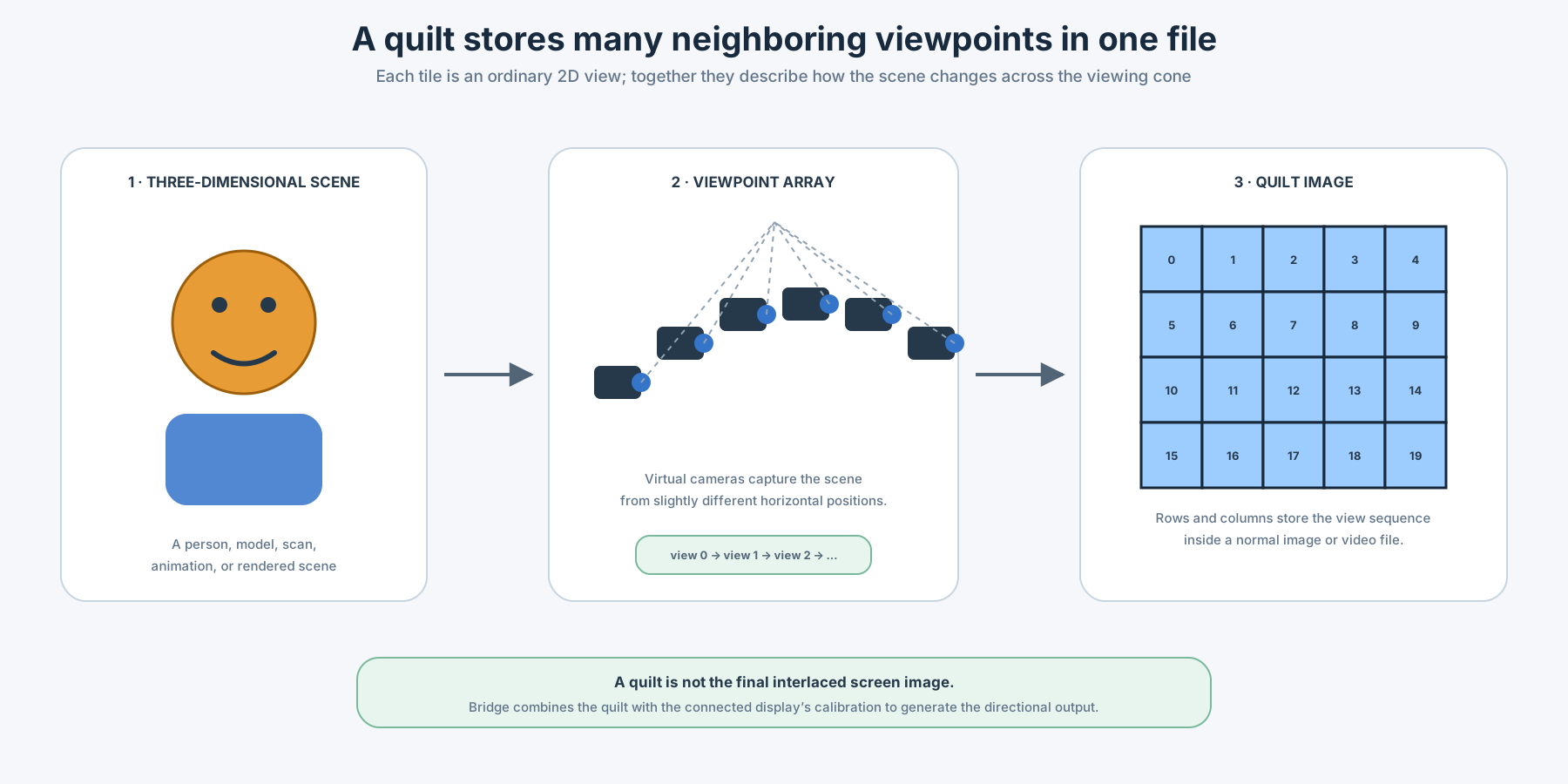
Looking Glass uses quilts for still images and video. The grid makes it possible to store many views in familiar file formats such as PNG, JPEG, MP4, or MOV. The quilt is compact and portable, but it is not yet the final pixel pattern required by the optical panel.
Quilt metadata
The receiving software must know:
- the number of columns;
- the number of rows;
- the aspect ratio of one view;
- the view order;
- the intended display or rendering preset.
Looking Glass software can read this information from a filename convention such as:
portrait_qs11x6a0.56.pngIn this example:
11x6means 11 columns and 6 rows;- the quilt contains 66 views;
a0.56identifies the aspect ratio used for each view.
The current Looking Glass documentation explains quilt layout, file naming, view order, and device-specific settings in What is a Quilt?.
If the quilt is sent to a normal image viewer, it appears as a grid of repeated views. Looking Glass software must interpret that grid and combine it with the calibration of the connected display.
Looking Glass Bridge: the required runtime
Looking Glass Bridge is the software layer between a creator application and the display hardware.
It:
- detects the connected Looking Glass;
- reads the calibration for that individual display;
- accepts views from Studio, plugins, web applications, or custom software;
- converts quilt or rendered-view data into device-specific interlaced output;
- sends the resulting signal to the panel.
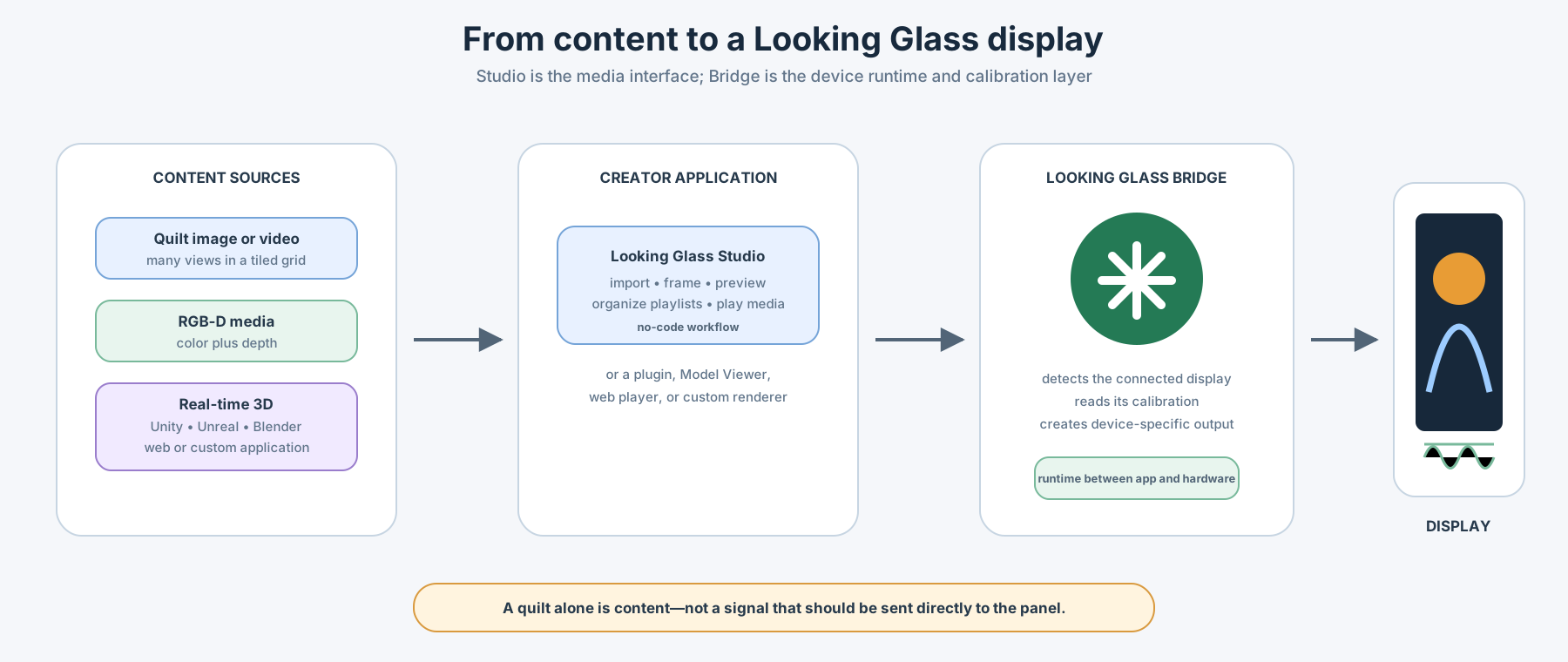
The quilt should therefore be understood as content, not as a ready-made display signal. Bridge performs the device-dependent work that makes the directional image line up with the optical layer.
Looking Glass Studio: importing and playing content
Looking Glass Studio is the no-code media application in the workflow. It can import quilt and RGB-D images or videos, frame and preview them, and organize media into playlists. On desktop, Studio requires Looking Glass Bridge to communicate with a connected display.
A basic connected-display workflow is:
- Install Looking Glass Bridge.
- Connect and power the display.
- Open Looking Glass Studio.
- Import a quilt image or video.
- Confirm its columns, rows, aspect ratio, and view order.
- Frame the subject and preview the depth.
- Play the result on the connected Looking Glass.
The current Studio documentation states that its standalone-device syncing is for Looking Glass Portrait and that Go syncing is not supported there. Studio can still be part of a connected desktop workflow. For standalone or Wi-Fi playback on Go, use the currently supported Looking Glass companion workflow and verify the latest instructions for the installed software version.
Small practical example: Looking Glass Go
The Looking Glass Go is a useful small example because it is compact enough for personal experimentation while using the same core idea: many directional views are presented through a light field optical layer.
| Specification | Looking Glass Go |
|---|---|
| Display diagonal | 6 inches |
| Panel resolution | 1440 × 2560 |
| Aspect ratio | 9:16 |
| Refresh rate | 60 Hz |
| Views in this example workflow | 66 viewpoints in an 11 × 6 quilt |
| Current manufacturer specification | Up to 100 directional views |
| Viewing cone | Approximately 58° |
| Operation | Desktop and standalone modes |
| Visible onboard storage | Approximately 22 GB |
| Power | External USB power; no integrated battery |
Specifications and software support can change, so check the official product and documentation pages before designing a permanent installation.
Photogrammetry self-portrait example
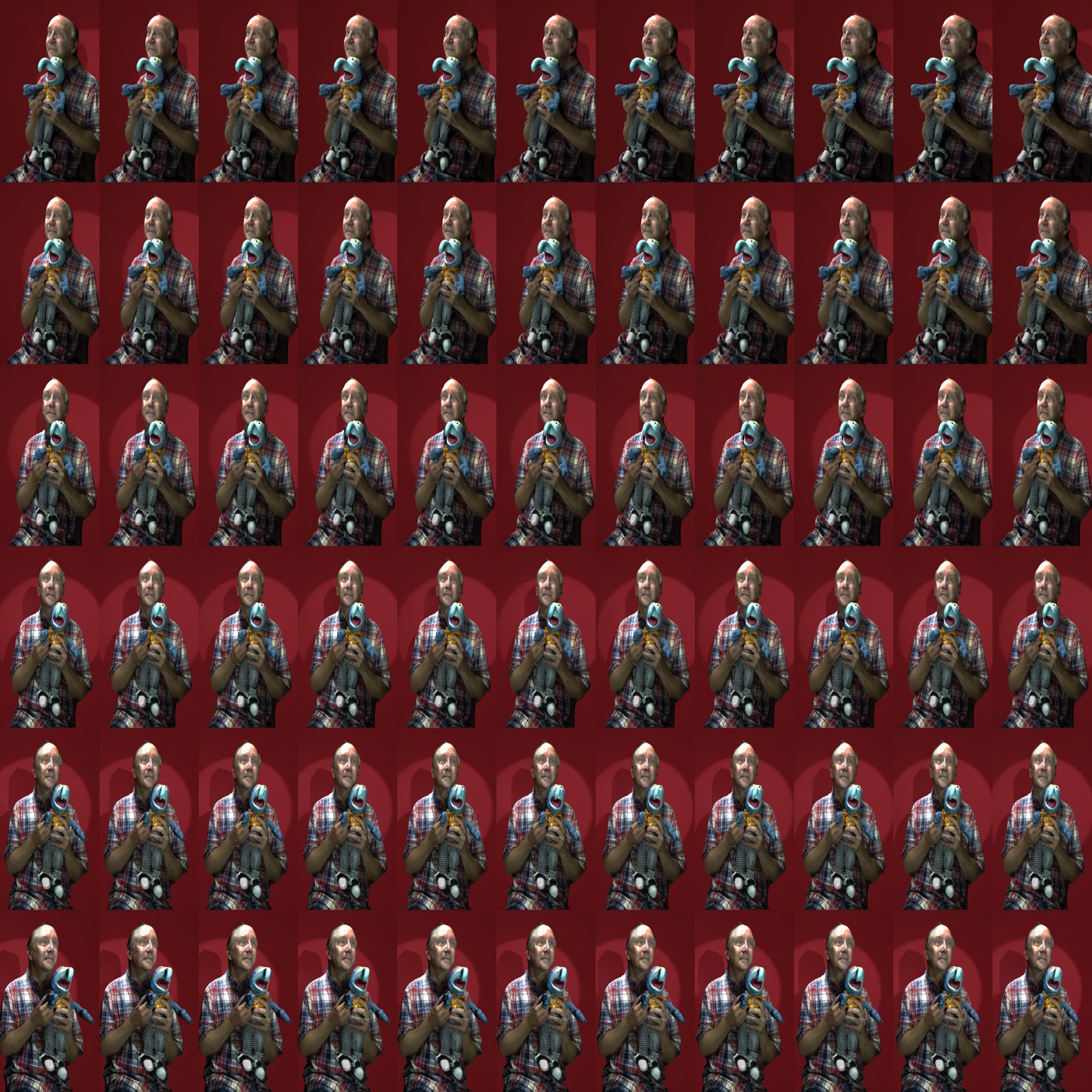
The following example began as a photogrammetry self-portrait. A set of photographs was reconstructed as a textured 3D model, exported as USDZ, and then rendered from a horizontal sequence of camera positions. Those rendered views became the quilt.
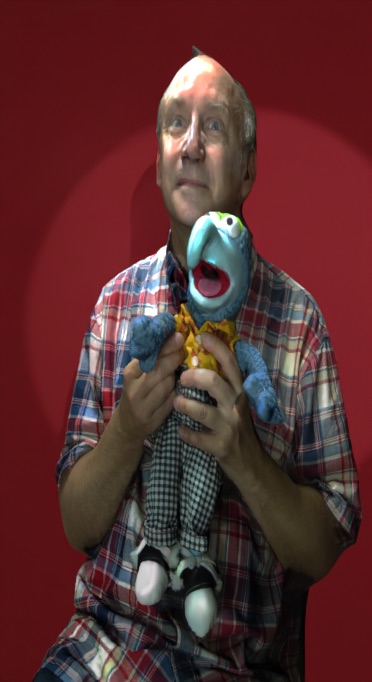
The preview is a single conventional view. It can show the subject and texture, but not the changing perspective that creates the light field effect.
The quilt reveals the view sequence
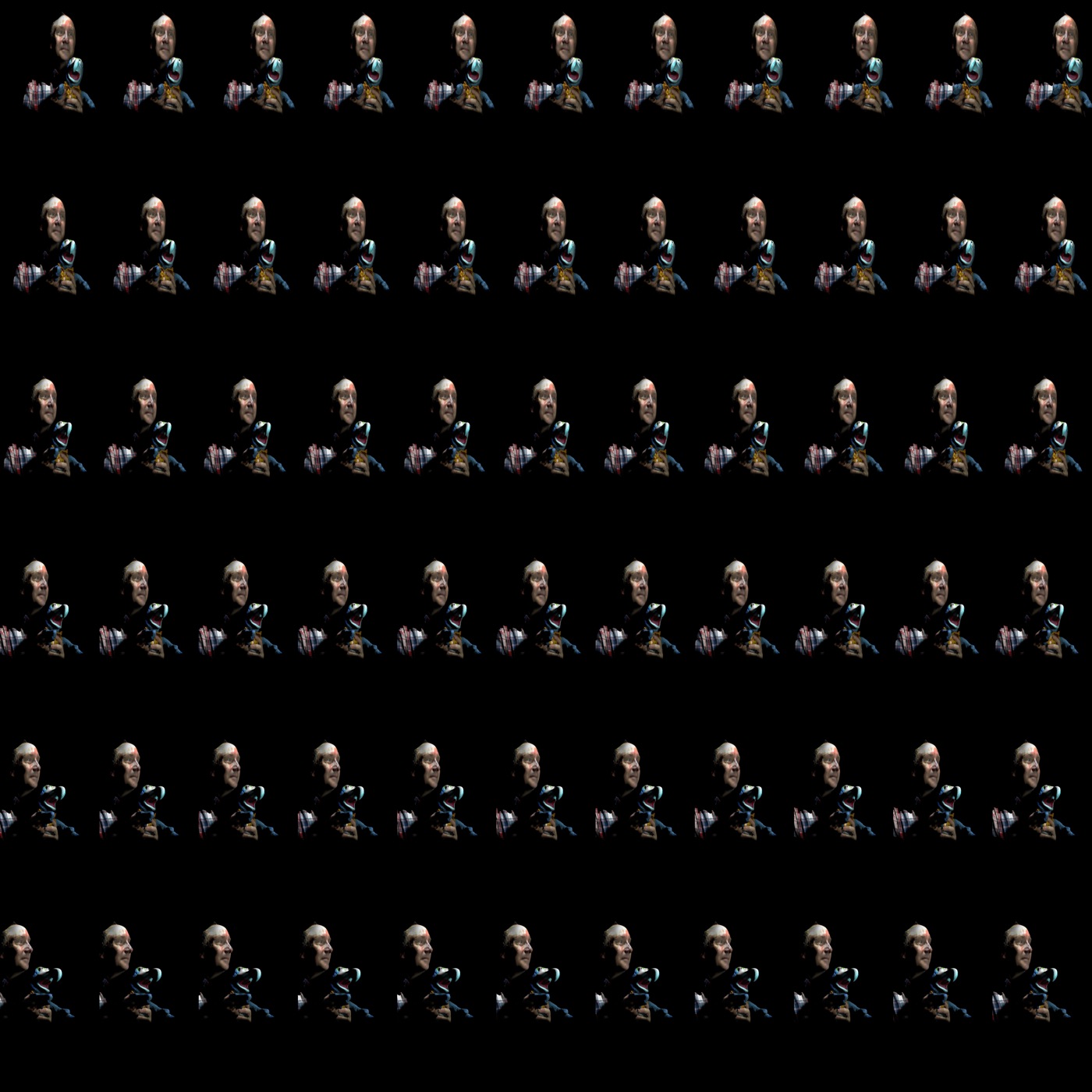
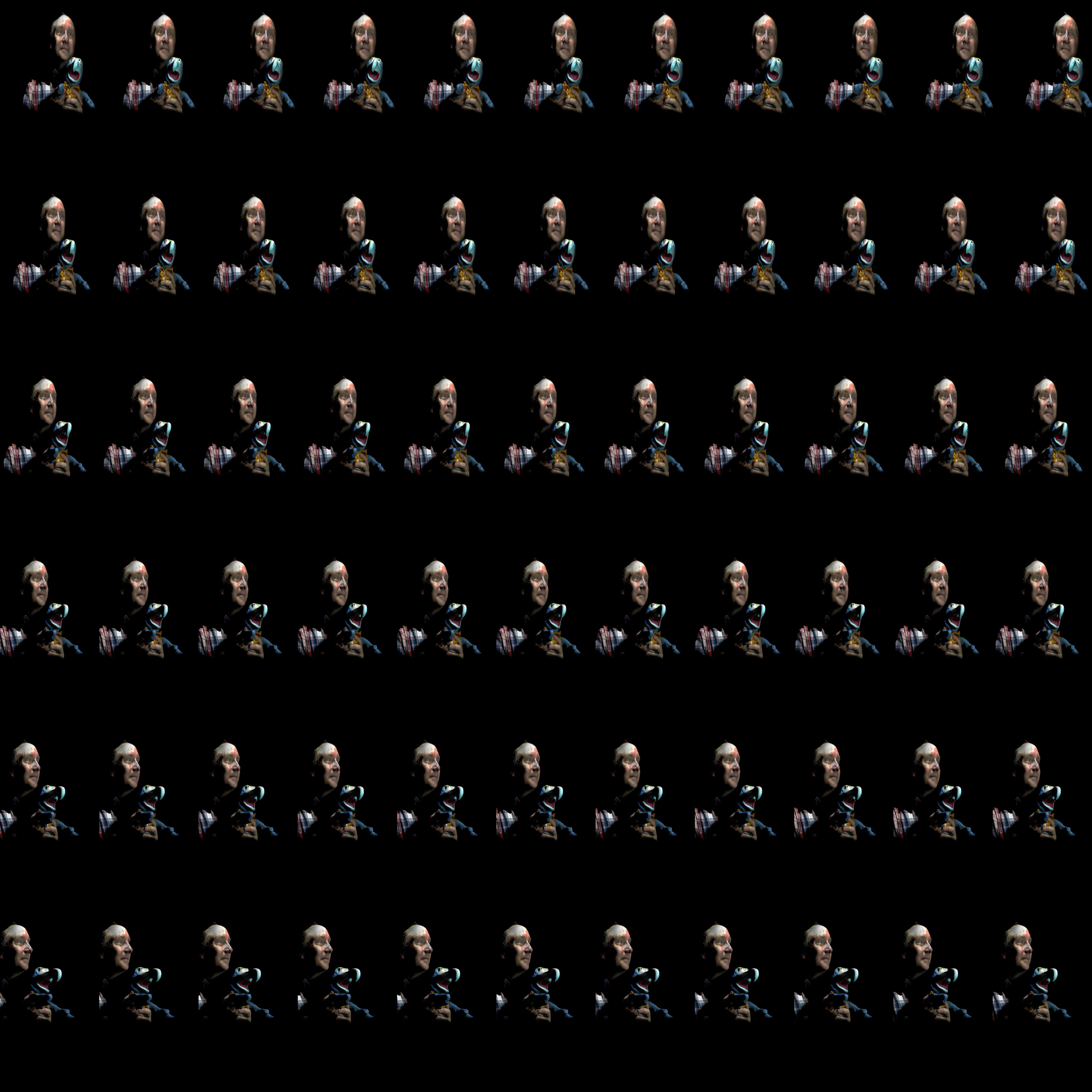
Read the quilt as a sequence rather than as a collage. Across the tiles, the head, shoulders, puppet, and background shift relative to one another. Those small changes become motion parallax when the optical display sends the views in different directions.
The second quilt uses a black background and makes the changing silhouette particularly easy to inspect:
Short motion example
The short video below illustrates the reconstructed self-portrait as a moving 3D asset before or during multiview preparation.
Download the source examples
The web page uses compressed previews so that it remains fast. The original files are available for readers who want to inspect or test the source material:
| Example | Format | Size | Download |
|---|---|---|---|
| Color self-portrait quilt | PNG, 4092 × 4092 | 22 MB | Download quilt |
| Black-background quilt | PNG, 4092 × 4092, qs11x6a0.56 |
9.1 MB | Download quilt |
| Photogrammetry model | USDZ | 5.9 MB | Download USDZ |
| Original motion example | MOV, 676 × 668, 60 fps | 8.5 MB | Download MOV |
These source files document an original photogrammetry and 66-view light field workflow by Alaric Hamacher. If the model, quilts, video, or derived results are used in research, teaching materials, a publication, dataset, presentation, or software demonstration, the source must be clearly referenced.
Suggested citation:
Hamacher, Alaric. Photogrammetry Self-Portrait: USDZ Model and 66-View Looking Glass Quilt Examples. Spatial Media, 2024.
When importing a quilt, preserve or add the _qs…a… metadata expected by the software. If the quilt dimensions or view order are interpreted incorrectly, the display may show scrambled views, reversed depth, or severe crosstalk.
What these displays do well
Lenticular light field displays are especially effective when a subject benefits from changing perspective:
- photogrammetry and volumetric portraits;
- product visualization;
- medical and scientific data;
- museum and exhibition objects;
- architecture and engineering models;
- animated characters and spatial art;
- interactive real-time scenes.
They are less suitable when viewers stand outside the supported cone, when the source contains too few or poorly ordered views, or when the content requires a depth range the panel cannot reproduce cleanly.
The useful achievement is not that the screen becomes invisible. It is that a flat panel can direct enough neighboring perspectives toward the audience for the scene to respond naturally as people move—turning a grid of quilt tiles into a shared, glasses-free spatial image.